Design Cover & Order your Album in SmartAlbums
You can design your cover and order albums straight from SmartAlbums with these supported print lab partners:
- QT Albums
- Kiss Books
- Vision Art
Before you begin:
- Ensure you have SmartAlbums version 2026.3.0 or later installed
- Complete your album design
To design your cover your album:
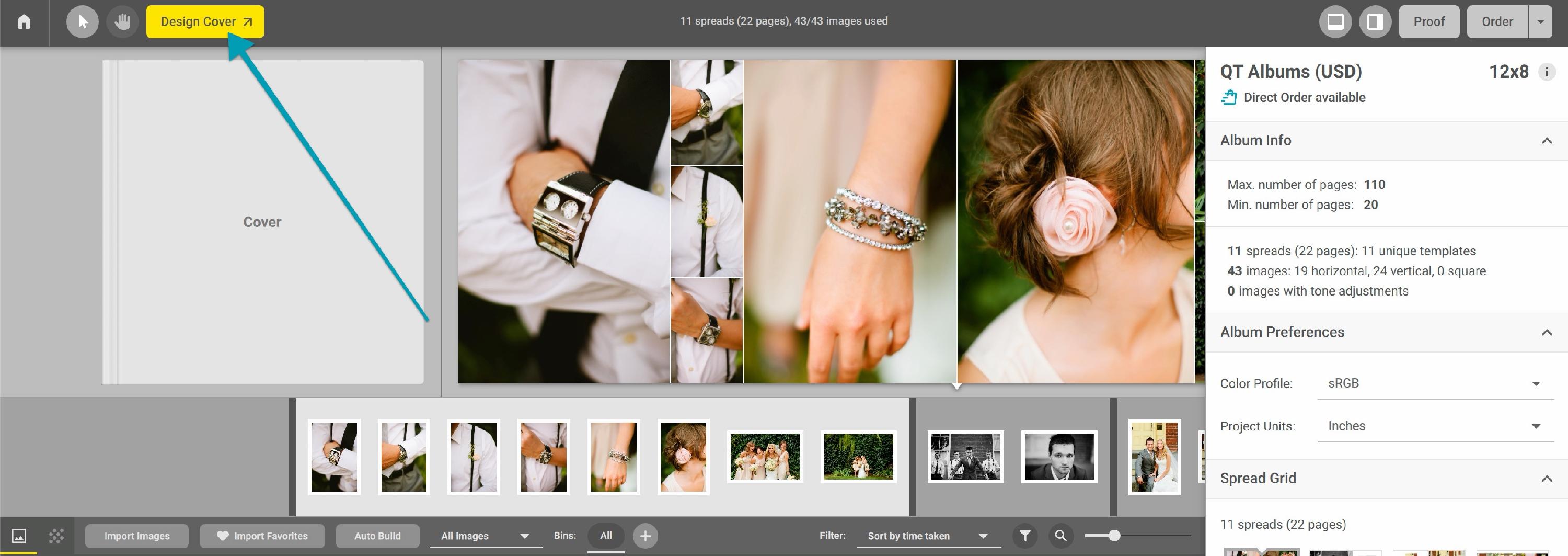
- Click Design Cover in SmartAlbums
- SmartAlbums will automatically open a browser tab for customization
 Choose your album options.
 Choose your album options.
In the browser window, select your preferences:
- Cover type, material, and color
- Paper options
- Cover upgrades
- Presentation box
- Extra copies
- Debossing features
- Rush order (if needed)
- Special instructions for the lab
The right side shows your order summary with options to proceed to checkout or cancel. You can also share the album with your client by clicking the share button shown in the screenshot below.

After ordering:
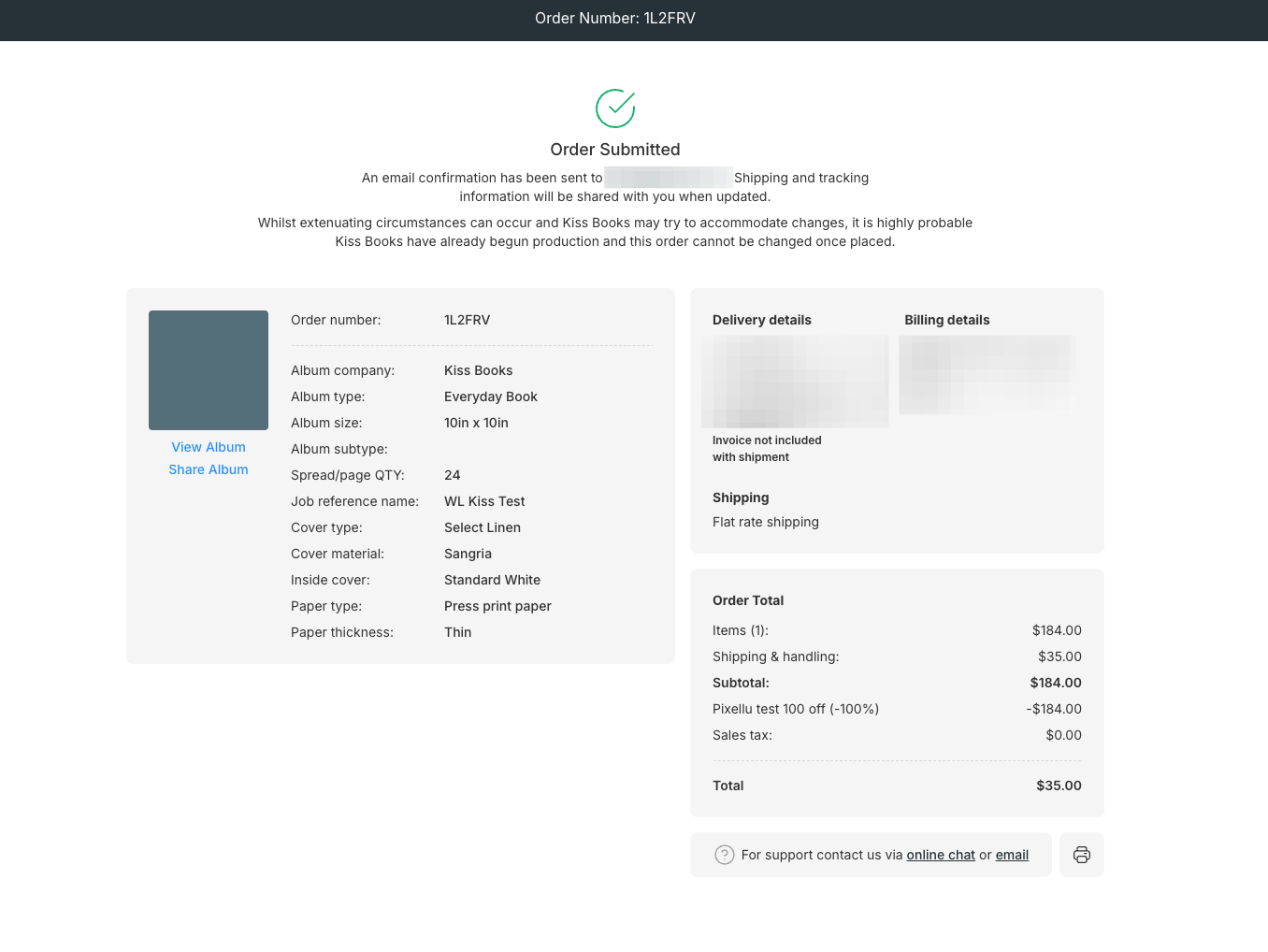
- You'll be redirected to an order confirmation page
- An email confirmation will be sent to you
- Your order number will be displayed on the confirmation page
- You can print the invoice for your records
- You can also view and share the album with the client from this page